
Driving license is a legal document that allows you to drive two-wheeler or four-wheeler vehicle in India. RTO issues the driving licenses in all states of India. After passing the driving skill test, you can get your driving license. The blog covers the steps to download driving license online in India.
How to download a driving license card online
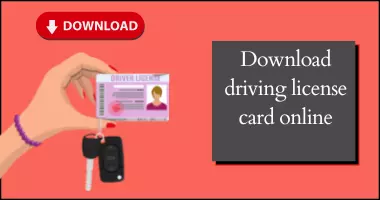
You will receive smart card driving license in 30 days after passing the test. In addition to the physical copy of DL, you can download and keep soft copy of your driving license. The soft copy of DL is also valid to show proof of DL. Following are the ways to download driving license card online:
- Digilocker website
- Parivahan website
- mParivahan mobile app
Download driving license card online using DigiLocker
Following are the steps to download driving license card online using Digilocker:
- Download the Digilocker application on your mobile phones
- Choose the option of the Driving license from “Documents you might require” section
- Choose Ministry of Road and Transport Highways from the list
- Enter the driving license number on the portal
- Click on the option of receive the documents
- Download driving license card online in pdf form
Download driving license card online through Parivahan
Following are the steps to download driving license card online using Parivahan portal:
- Visit the official Parivahan Sewa portal
- Click on the online services
- Choose the option of Driving license-related services
- Select the state of residence
- Click on Print DL
- Enter the application number and the date of birth
- View the DL
- Print or download the driving license soft copy
Download driving license card online using mParivahan App
Following are the steps to download driving license card online using mParivahan App:
- Install mParivahan from Google Play or App Store
- Sign in with your mobile number and verify with OTP
- Select Driving Licence services
- Enter your DL number / date of birth to add your licence
- View and download your virtual DL on the app
- You can show this digital licence during checks

Documents Required for Driving License Test
How to change photo on Driving Licence
FAQs
Can I download copy of my driving licence online in India?
Yes, you can download your driving licence online through the Parivahan Sewa portal, DigiLocker, or the mParivahan mobile app.
Can I keep soft copy of my driving licence instead of a physical card?
Yes, you can keep soft copy of my driving licence instead of a physical card.
Is the mParivahan driving licence valid everywhere in India?
Yes, the virtual DL in the mParivahan app is valid throughout India.
Is it compulsory to carry DL while driving?
Yes, you need to keep DL while driving.
Why is my old driving licence not available online?
Older DLs may not be digitized. You need to visit the RTO for backlog process.

You can book order online. For any query or concern please speak to one of our relationship manager over phone or chat. You can also write to us. We will get back to you.


1 Pingback