

If you have applied for Indian passport, you can check passport application status online. Passport seva official portal provides online platform to track passports after visiting PSK/POSK. It is applicable for new as well as renewal of passports. The blog covers steps to track passport application online in India.
Check passport status application online
If you have applied for new or renewal of passport, you can track every stage of your application through official portal. You can check passport application status using passport seve website, mobile app and SMS service.
Passport application process involves multiple stages, such as document verification, police verification, printing, and dispatch. Passport tracking helps to stay informed about the progress of your application and avoid unexpected delays.
Steps to check passport status in India
Following are the steps to check passport status online through website:
- Visit the official Passport Seva website
- Click on “Track Application Status”
- Select your application type as Passport
- Enter your 15 digit File Number and Date of Birth
- Click “Track Application Status”
Track passport application by mPassport Seva app
You can track passport application using mPassport Seva application. Following are the steps to check passport status:
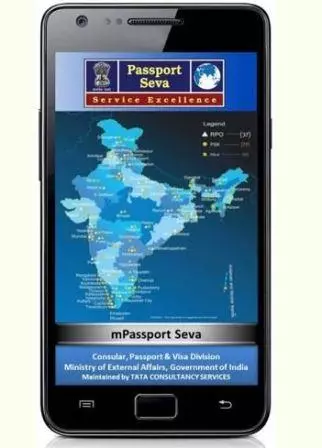
- Download mPassport Seva app from Play Store or App Store
- Install and Open the app
- Select “Track Application Status”
- Enter your File Number and Date of Birth
- Submit to view the current status
How to track passport by National call centre
You can contact the passport national call centre for passport tracking using a toll-free number 1800-258-1800 . You can directly call and speak to a customer representative to know status using file number and birth date.
How to Check Passport Status through SMS
You can check passport application status through SMS service. Following are the steps to know status:
- Open the SMS messenger on your registered mobile number
- Type: STATUS <15-digit File Number>
- Send it to 9704100100
- Receive an SMS with your passport status
E.g. STATUS IPK347275308405.
Indian passport application status
Following are the possible status of passport application:
- Application submitted
- The application under review or under review with reason
- Police Verification initiated or pending
- Police Verification report submitted or under review
- Passport granted or printed or dispatched or returned undelivered
- PCC application forwarded or granted

Apply For Passport Online in India
Passport Name Change in Indian Passport
FAQs
Can I check passport status without a file number?
No. The file number is mandatory. You can find it on the application receipt or SMS/email confirmation sent after appointment booking.
What does “Police Verification Initiated” mean?
It means your application has been forwarded to the local police station for address and identity verification.
Can I check passport status using Aadhaar number?
No. Passport status cannot be checked using Aadhaar number.
Will I receive SMS or email updates of passport status?
Yes.you will receive SMS and email alerts at every stage if your mobile number and email ID are registered.

1 Pingback