

Do you need to change address on PAN card? If yes, you can update PAN card address online through official portal. You should keep PAN details accurate to avoid issues during income tax filing, KYC verification, and financial transactions. The blog guides you through the process to update address in PAN card in detail.
Change Address in PAN Card
You can update PAN card address online through official PAN service providers. There are two official PAN service portals i.e Protean and UTTITSL. You need to submit PAN corrections application on this portal.
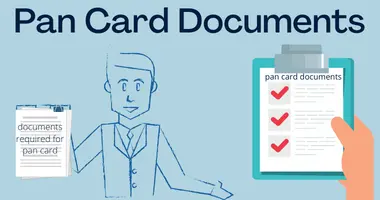
Documents required for PAN address change
Any one of the following documents that you can submit as address proof for PAN address change:
- Aadhaar Card
- Passport
- Voter ID Card
- Driving Licence
- Ration Card (with full address)
- Electricity Bill (latest, not older than 3 months)
- Water Bill (latest)
- Gas Connection Bill
- Landline Telephone Bill
- Bank Account Statement (last 3 months)
- Post Office Passbook (with address)
- Property Tax Assessment Order
How to change address on PAN Card Online
You can update your address online on Protean or UTTITSL government portals. Following are the steps to change address on PAN:
Using Protean portal (formerly NSDL)
- Visit the official Protean website
- Click on PAN option
- Select Change/Correction in PAN Data”
- Click on Apply
- Select Individual in the category
- Fill the application
- Upload scanned images through the e-Sign option
- Pay the fee and submit
- Get acknowledgement number to track your application
- Processing at office
- Receive updated PAN card
Note:
- If you upload Aadhaar as the document proofs for all three proofs, you need to mention You have to upload your photo, signature and the documents required for address change in PAN card.
- Ensure your documents size is not more than 300 Kb and photo & signature of 50 Kb. Dimensions as 3.5×2.5cm for the photograph and 2×4.5 cm for the signature.
- File format
- Documents-PDF format
- Photograph and signature- JPEG
Don’t Do
Don’t upload password protected document such as an e-Aadhaar. However, if you still want to upload one, take the screenshot of your e-Aadhaar and upload it in the correct file format.
UTIITSL PAN Portal
- Visit the UTIITSL official website
- Click on “Change/Correction in PAN Card”
- Apply for Change/Correction in PAN Card Details”
- Fill out the form
- Upload proof of documents
- Payment of fees
- Processing at office
- Receive updated PAN card
Note:
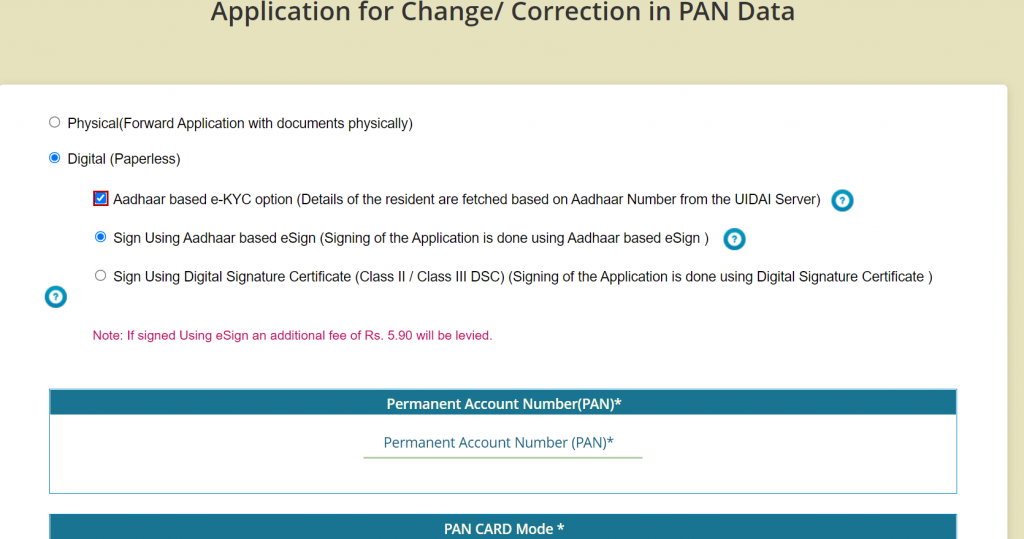
- You can go for Digital e-KYC only if your mobile number is linked with Aadhaar to receive OTP for verification.
- Aadhaar based e-KYC will fetch your details from your Aadhaar card, while in the e-Sign option, you have to upload documents .
- The e sign service charges are Rs 5.90.
When will I receive my PAN Card
It takes 10-15 days to receive your PAN Card.You will receive your physical PAN Card at your registered address via post.

PAN Card application status online
FAQs
Is PAN address update compulsory after shifting house?
No, It is not legally mandatory , you should do it to avoid issues with KYC, banking, and tax communication.
How long does PAN address update take?
It takes 7 to 15 working days after applying for PAN update.
Can I track my PAN address update status?
Yes, you can track the PAN address update status using the acknowledgement number provided after application submission.
Can I update both address and mobile number together?
Yes, you can update multiple details of PAN in single correction application.

Leave a Reply